3ds Max
Omniscient exports play well with 3ds Max. Export the following from the app:
- Camera (.abc)
- Geometry (.obj)
Import Camera Animation
To import the camera, go to File → Import → Import..., select your .abc file, and leave the default settings as is.
note
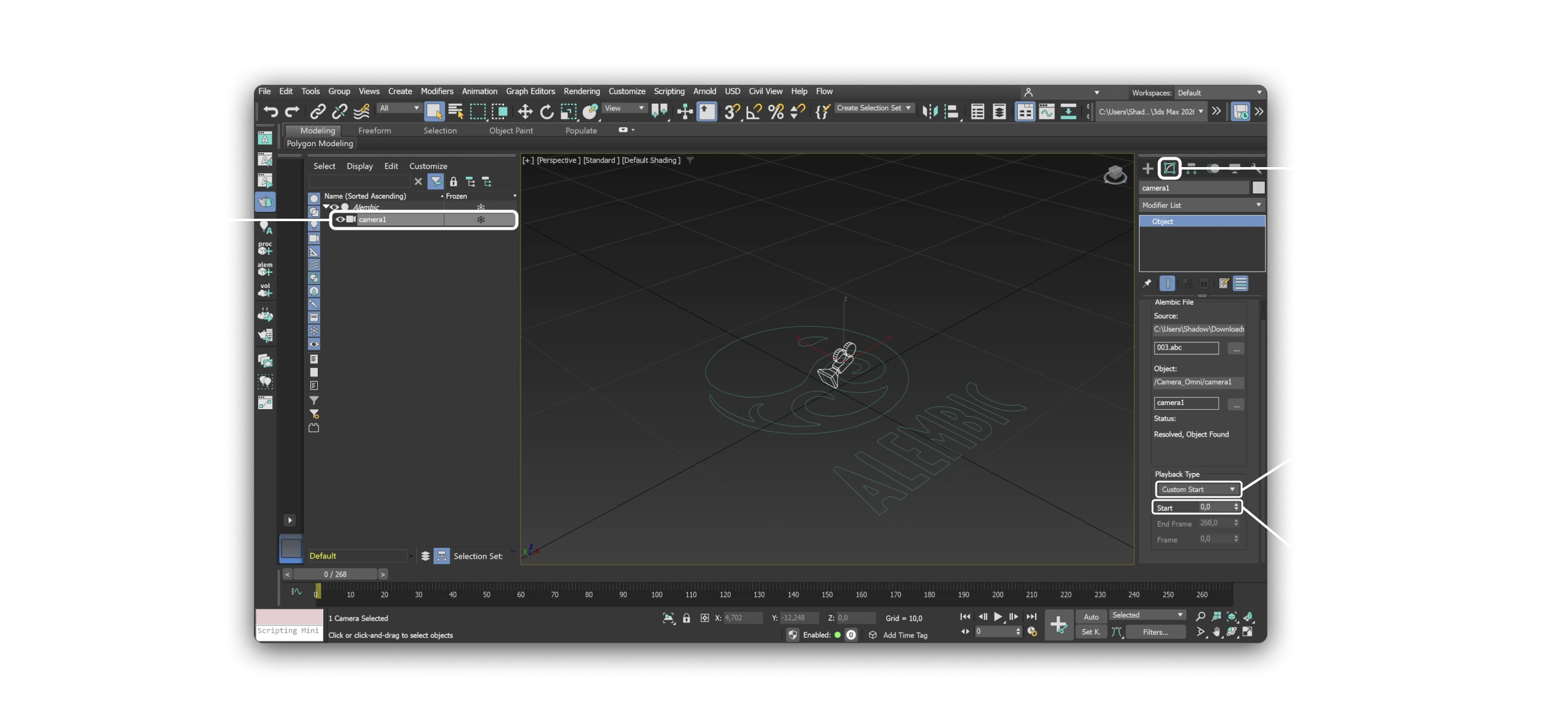
Camera jittering: If the Alembic camera jitters even with matching FPS, select the imported camera, open its properties in the Modify panel, set Playback type to Custom Start, and enter 0 as Start time. This forces the Alembic playback to start on frame zero and removes the offset that causes jitter.
Import Geometry
To import the scan, go to File → Import → Import..., select your .obj file and leave the default settings as is.